Job Application PDFs: The Metadata That Betrays Your True Employer
 May, 11 2026
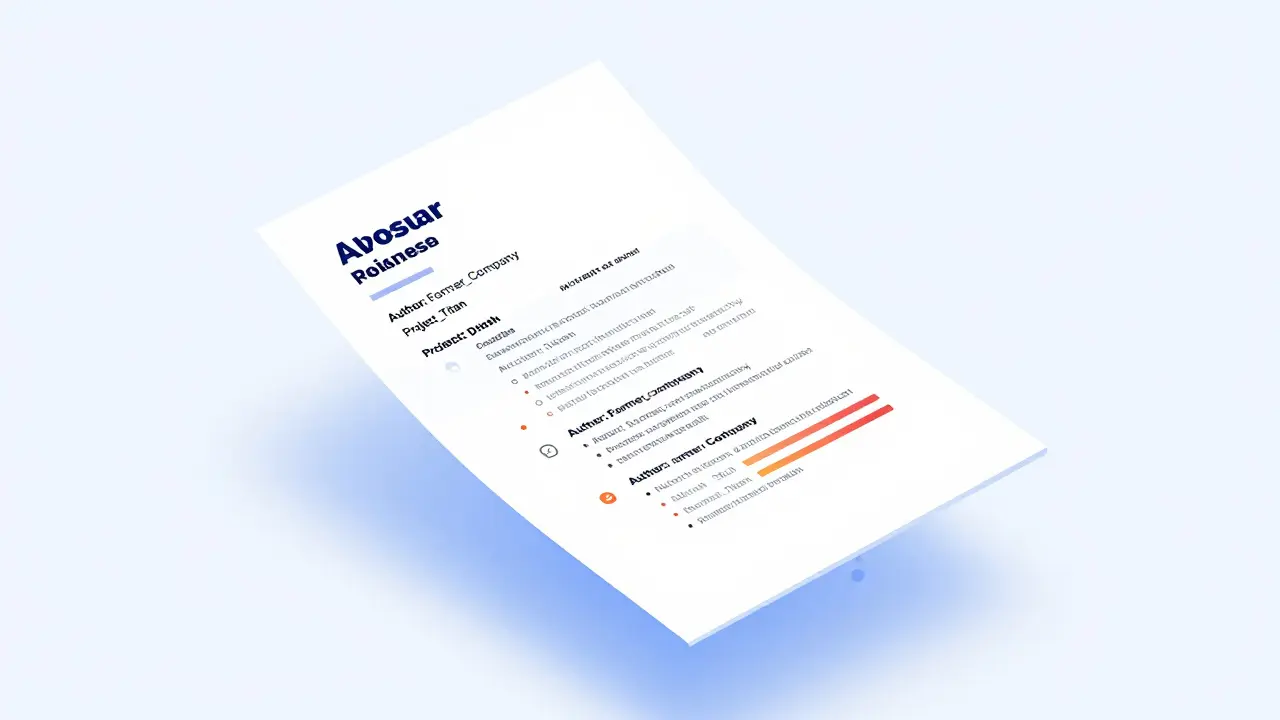
You spend hours perfecting your resume. You tweak the font, align the margins, and rewrite your bullet points to sound impressive. But when you export that document as a PDF is a portable document format that preserves layout across devices but often contains hidden data layers, you might be accidentally handing over more than just your work history. Hidden inside the file are invisible tags-metadata-that can reveal who created the document, what software was used, and sometimes even details about previous employers or internal drafts. For job seekers in 2026, this digital footprint is a real risk.
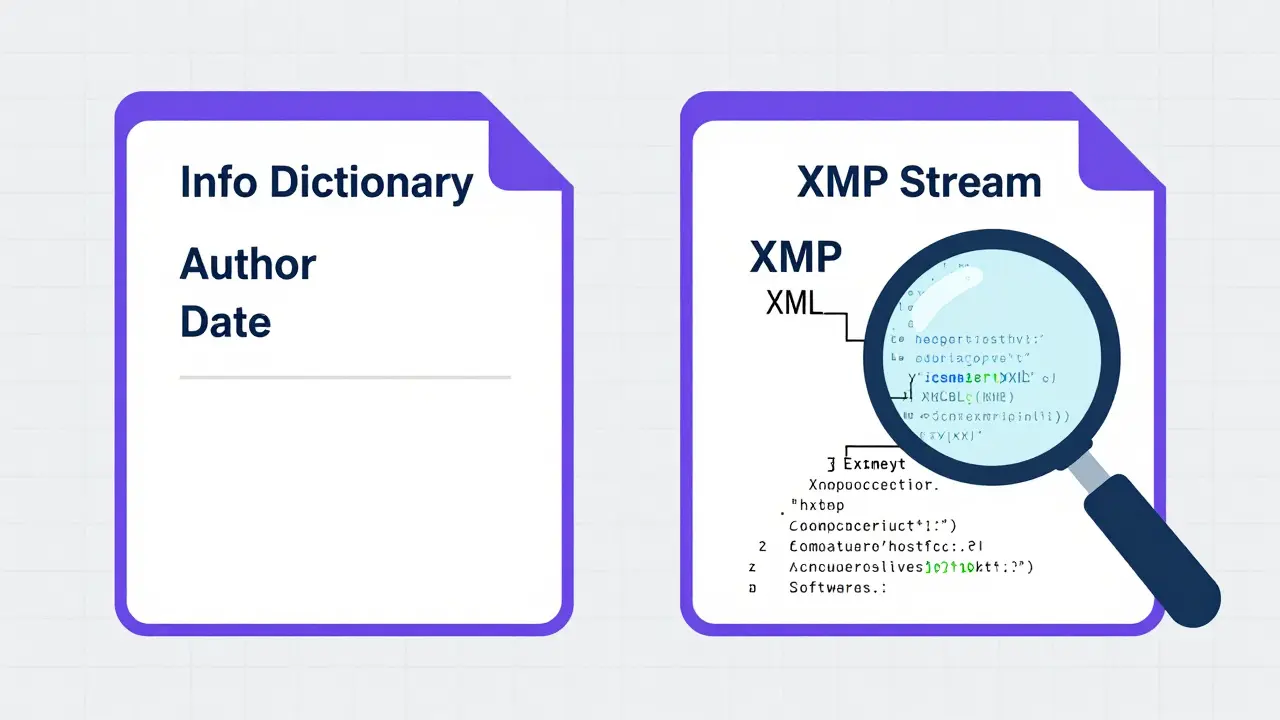
Most people think a PDF is just a static image of their resume. It isn't. A PDF is a container with multiple layers. There is the visible layer (what the recruiter sees) and the hidden layer (the metadata). This hidden layer includes the Info dictionary is a legacy metadata structure in PDFs storing basic document properties like author and creation date and the XMP stream is an Extensible Metadata Platform standard embedded in modern PDFs for rich data storage. If these aren't cleaned, they can betray your true employer, reveal personal computer names, or expose draft versions of your application.
What Is PDF Metadata and Why Does It Matter?
Metadata is essentially data about data. In a word processing document converted to PDF, this includes the author's name, the title of the document, keywords, and the software used to create it. While this seems harmless, it can cause problems in a hiring context. Imagine you are applying for a new role at a competitor. If your PDF still carries metadata from your current company's template-perhaps a corporate watermark tag or an internal project code-it signals immediately where you currently work. This breaks confidentiality before you even get an interview.
Furthermore, metadata can reveal your tech stack. If you use specific enterprise software to generate your resume, the "Producer" field in the PDF might list that software. Recruiters using Applicant Tracking Systems are software applications used by companies to manage recruitment processes and candidate data (ATS) might flag unusual software signatures. More critically, if you edited a template provided by a former employer, the original author field might still say "John Smith, HR Department." When you submit this, you look careless, or worse, you leak sensitive organizational structures.
The Two Hidden Stores: Info Dictionary vs. XMP
To understand why cleaning metadata is tricky, you need to know how PDFs store information. Every PDF has two parallel stores for metadata. The first is the older Info dictionary. This is a simple key-value store that holds basic fields like Author, Title, Subject, and CreationDate. Many basic online cleaners only wipe this section.
The second store is the XMP stream. This is a newer, XML-based format that allows for much richer data. It can contain complex hierarchies, custom tags, and even references to other documents. If a tool only removes the Info dictionary, the XMP stream remains intact. Conversely, some tools strip XMP but leave the Info dictionary. A thorough cleaning process must address both. If you want to ensure your privacy, you need a solution that scrubs both layers simultaneously without altering the visual content of your resume.
How Metadata Can Backfire in Job Applications
Consider a scenario where you are leaving a high-profile tech firm. You copy-paste your achievements into a generic Word template, save it as a PDF, and apply to a rival company. Unbeknownst to you, the Word document had tracked changes enabled, or the PDF export retained the "Creator" field as your former company's internal branding tool. The recruiter opens the file, checks the properties, and sees "Internal Draft - Project Titan." Suddenly, your application is flagged for potential non-disclosure agreement (NDA) violations. Even if no confidential info was leaked, the perception of carelessness hurts your chances.
Another common issue involves personal computer names. Some operating systems embed the computer's hostname into the PDF metadata. If your laptop is named "Home-PC-Jane," it’s fine. But if it’s named "Server-Finance-Dept," you’ve just revealed your departmental access level. These small leaks add up to a noisy digital profile that distracts from your actual skills.
Why Online Cleaners Are Risky
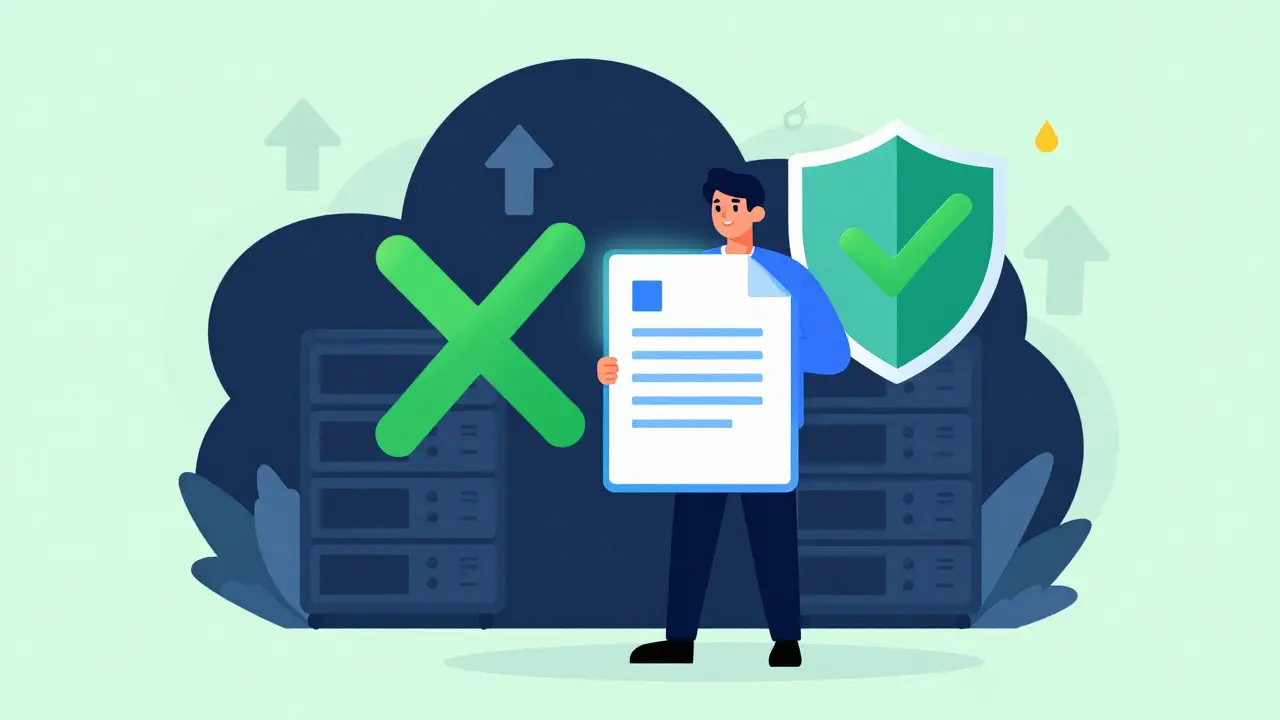
Many job seekers turn to free online PDF cleaners to scrub their files. However, most of these services require you to upload your resume to their servers. This means your document-including any remaining sensitive data-travels over the internet to a third-party machine. Who owns that server? Where is it located? Do they sell user data? You don’t know. Uploading a job application, which contains your home address, phone number, and employment history, to an unknown server is a significant privacy risk.
Additionally, server-side processing can alter your document. Some online tools re-rasterize images or change fonts during the cleaning process, which can break ATS parsing algorithms. You need a tool that processes the file locally on your device, ensuring that nothing leaves your browser and the visual integrity of your resume remains identical.
The Solution: Client-Side Metadata Removal
The safest way to clean your PDF is to use a client-side tool. This means the processing happens entirely within your web browser using JavaScript and WebAssembly. The file never uploads to a server. You can verify this by opening your browser's network tab; you will see no outgoing requests for your PDF file. One such tool is Vaulternal's PDF metadata remover. It operates directly in your browser, stripping both the Info dictionary and the XMP stream while keeping the visible content pixel-perfect.
This approach offers several advantages. First, it guarantees privacy because your data never leaves your device. Second, it is free and requires no signup or account creation. Third, it provides a "view mode" that lets you inspect exactly what metadata is hidden in your PDF before you decide to remove it. This transparency helps you understand what you are exposing to recruiters.
Step-by-Step Guide to Cleaning Your Resume PDF
- Export your resume: Save your final resume as a PDF from Word, Google Docs, or LaTeX. Do not edit the PDF directly unless necessary.
- Inspect the metadata: Use a viewer tool to check the properties. Look for Author, Creator, Producer, and any custom tags. If you see your old company's name or internal codes, proceed to the next step.
- Run the cleaner: Upload your PDF to a client-side metadata remover. Ensure the tool supports both Info dictionary and XMP stream removal. Wait for the processing to complete. Since it runs locally, this should take only seconds.
- Verify the output: Download the cleaned PDF. Open it again and check the properties. All personal and software-related metadata should be gone. The visual appearance should be identical to the original.
- Test ATS compatibility: Paste the text from the cleaned PDF into a plain text editor to ensure all formatting and characters are preserved. ATS systems need readable text, not just images.
Comparison: Common Metadata Cleaning Methods
| Method | Privacy Level | Cost | Cleans XMP & Info? | Visual Integrity |
|---|---|---|---|---|
| Adobe Acrobat Pro | High (Local) | Subscription | Yes | High |
| Online Converters | Low (Uploaded) | Free/Freemium | Inconsistent | Variable |
| Client-Side Browser Tool | Maximum (No Upload) | Free | Yes | Identical |
| Manual Property Edit | Medium | Free | No (Partial) | High |
As the table shows, client-side browser tools offer the best balance of privacy, cost, and effectiveness. They avoid the subscription fees of Adobe Acrobat Pro and the privacy risks of online converters. For job applicants, this is the sweet spot.
Best Practices for Job Application Privacy
Cleaning metadata is just one part of digital hygiene. Here are additional tips to protect your identity during the application process:
- Use generic filenames: Instead of "Resume_John_Smith_Draft1.pdf," use "John_Smith_Resume.pdf." Filenames can also leak metadata about version history.
- Avoid cloud-synced templates: If you use a template stored on a shared drive, ensure it doesn't carry previous users' metadata. Create a fresh copy each time.
- Check for tracked changes: If you edit in Word, accept all changes and disable tracking before exporting to PDF. Tracked changes can remain visible in the PDF structure.
- Regularly audit your files: Make it a habit to inspect metadata before sending any professional document. It takes less than a minute and prevents costly mistakes.
Final Thoughts on Digital Footprints
In the age of AI-driven recruiting and sophisticated ATS platforms, every byte of data matters. Your resume is not just a list of jobs; it is a digital artifact that carries traces of its creation. By understanding what metadata is and how to remove it, you take control of your narrative. You ensure that recruiters focus on your skills and experience, not on hidden clues about your past employers or technical setup. Using a reliable, private, and free tool like Vaulternal's Metadata Remover ensures you stay ahead of the curve without compromising your privacy.
Does removing metadata affect how ATS reads my resume?
No, removing metadata does not affect ATS readability. ATS systems parse the visible text layer of the PDF. Metadata is separate from the content streams. As long as the text is selectable and properly formatted, the ATS will read it correctly. In fact, cleaner files may load faster in some systems.
Can I remove metadata from a PDF on my phone?
Yes, if you use a browser-based client-side tool. Most modern mobile browsers support the JavaScript and WebAssembly technologies needed to run these cleaners locally. Simply open the website, upload your PDF, and let the browser process it. No app installation is required.
Is it illegal to hide my previous employer in metadata?
No, it is not illegal. Metadata is considered administrative data, not part of the contractual disclosure requirements. However, lying on the visible content of your resume is risky. Cleaning metadata is simply a privacy best practice to prevent accidental leaks, not a method to deceive.
What is the difference between redaction and metadata removal?
Redaction involves blacking out or deleting visible text and images from the document. Metadata removal only deletes the hidden data tags (like author, date, and software info). Redaction changes the look of the document; metadata removal keeps the visual appearance identical. For job applications, you usually only need metadata removal.
Do all PDFs contain metadata?
Almost all PDFs created from word processors or design software contain metadata. Even if you manually delete fields, some residual data may remain in the XMP stream or trailer. Scanned images saved as PDFs have less metadata, but they are often harder for ATS to read. It is safer to assume your PDF has metadata and clean it.
Tricia Alach
May 12, 2026 AT 12:30oh my gosh this is so helpful i never knew that pdfs had all those hidden layers inside them like seriously who thought it was a good idea to leave the computer name in there?? its kinda scary how much info we are just handing out without even realizing it thanks for sharing this with us
Yash Lodha
May 13, 2026 AT 04:13The architecture of the PDF format is not merely a technical standard but a deliberate surveillance mechanism designed by Big Tech to harvest our digital identities. When you export your resume, you are not creating a document; you are signing a confession. The XMP stream acts as a beacon, broadcasting your soul's coordinates to the corporate overlords. They want to know where you came from, what tools you used, and who owns your thoughts. By leaving metadata intact, you are complicit in your own enslavement. The Info dictionary is just the tip of the iceberg; beneath it lies a labyrinth of tracking pixels and invisible tags that map your every move. Do not trust the visible layer. It is a facade, a mask worn by the machine. The true data-the dark data-resides in the shadows, waiting to be harvested by algorithms that decide your fate before you even enter the room. We must scrub these files with the fervor of exorcists casting out demons. Every byte of metadata is a chain binding you to the system. Break free. Delete the traces. Become a ghost in the machine.
Jan Gilmore
May 14, 2026 AT 22:44Actually, you're missing the nuance here. While the article correctly identifies the Info dictionary and XMP stream, it oversimplifies the ATS parsing logic. Modern Applicant Tracking Systems don't just flag 'unusual software signatures'; they utilize heuristic analysis on the producer field to determine the sophistication of the candidate's tech stack. If you use a generic Word export, the Producer field reads 'Microsoft Word,' which is fine. But if you use LaTeX or specialized design software, the Producer field might list specific libraries that indicate a higher level of technical proficiency. However, the risk isn't just about looking 'careless'; it's about the potential for cross-referencing internal project codes with public databases. I've seen cases where a simple 'Draft' tag linked back to a leaked internal memo via hash matching. So yes, clean it, but understand that the metadata is often more valuable to recruiters than the content itself because it reveals your operational environment.
Caique Muniz
May 15, 2026 AT 02:41ugh another article telling me i need to do more work to get a job lol like seriously who has time to check metadata after spending hours on the actual resume? its not like im applying to csi agency or something. most people just hit save and send it. also why does everyone assume employers care about this stuff? they probably dont even look at the properties tab. its just fear mongering to sell some tool or whatever. lazy critic here says skip the step unless u really paranoid
Bradley Geldenhuys
May 16, 2026 AT 00:08listen up folks this is huge!! u guys are sleeping on this info big time. its not just about hiding ur past employer its about taking control of ur narrative. when u let that metadata sit there u are basically begging for someone to judge u based on ur setup instead of ur skills. i always tell my mentees that privacy is power. if u dont clean ur file u are weak. stop being passive and start scrubbing those docs. its free its fast and it shows u have discipline. dont let the system win by leaving breadcrumbs everywhere. get aggressive with ur digital hygiene and watch how the world treats u differently. confidence comes from knowing nobody can trace u back to ur home pc.
Ashley Rodriguez
May 17, 2026 AT 01:42i totally agree with the post because it makes sense to protect your privacy and i think we should all try to be more careful about what we share online especially when it comes to job applications since its such a vulnerable time in your life and you want to make sure you are presenting the best version of yourself without any distractions or negative information that could come from old drafts or company templates so please take the time to check your files before sending them out into the world
Bridget Coogle
May 18, 2026 AT 23:31this is such an important reminder for all of us. i feel like we often forget how much data we are carrying around with us digitally. it is empowering to know that we can take steps to protect ourselves. thank you for sharing this resource it feels good to know there is a simple solution that keeps everything private. lets support each other in staying safe online.
Zara Zaman
May 18, 2026 AT 23:47This is ridiculous. Why should American workers have to worry about foreign servers scraping their data? Our domestic companies should provide better default settings. I refuse to use any tool that doesn't guarantee US-based processing. This whole globalized tech infrastructure is a security nightmare. Stick to local solutions and keep our data within borders. Don't trust international standards.
Larry Port
May 19, 2026 AT 12:50I find it fascinating how much history is embedded in these files. It's almost like archaeology. You dig through the layers and find artifacts of the creation process. I usually just use the built-in inspector in my browser to see what's there. It's pretty cool to see the exact timestamp and software version. For most people, it's harmless, but for high-security jobs, it definitely matters. I'd recommend checking it out just to satisfy your curiosity. It gives you a better understanding of how digital documents work.
Jocelyn Garcia
May 20, 2026 AT 21:09the xmp stream is definitely the culprit here. most devs ignore it because its xml based and looks messy. but its where the real juice is. i always run a quick script to strip it out before deploying assets. same principle applies to resumes. dont let the legacy info dict fool you. its the modern metadata standards that are leaking your context. chill but clean.